
Meet Lisa50
How our over 50 dating site and app work
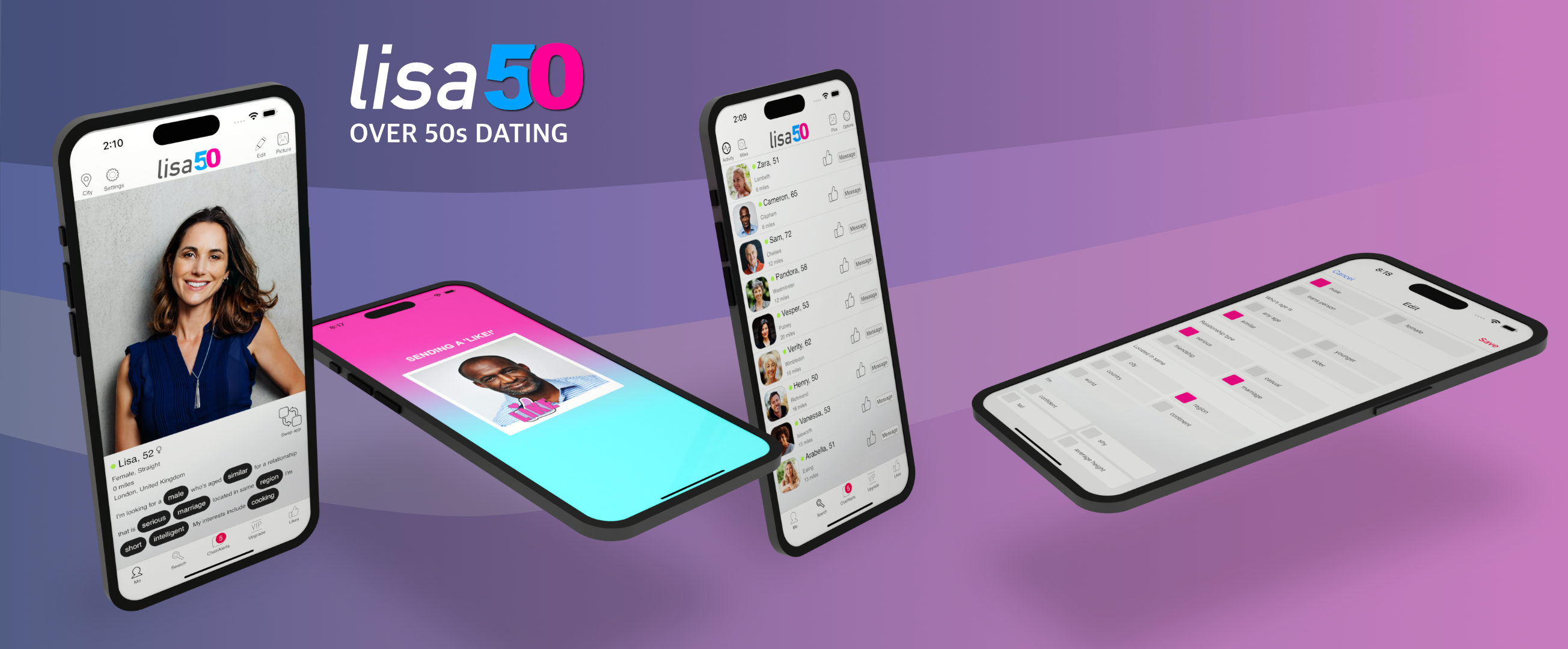
Create a profile, explore people and show interest at your own pace. Use Lisa50 in a browser or on the iOS app, with the same account.
A short signup, with a liveness check
We keep questions to a minimum for speed and privacy. Signup includes a liveness check to help confirm age and prevent fake accounts. Your profile is built from your interests, so every profile has talking points. There is no bio to write.
Profile photographs are optional. Your age is used rather than your full date of birth, and your location is approximate.
Explore profiles
Browse photos where members have added them and explore their interests. Every profile gives you talking points, making it easier to find something to ask about. Search by distance to find people within a practical range for you.
Send a free LIKE
A LIKE lets you show interest without having to think of an opening message. You can exchange LIKEs for free and see whether someone is interested too.
Start with a flirt
Write a flirt message to reach multiple people for free. A friendly introduction or a question about a shared interest gives someone an easy way to respond.
Explore before you upgrade
Free ways to get started
Joining, looking around, exchanging LIKEs and sending flirts are free. Get a feel for the community and see whether you receive interest.
Full private messaging
An upgrade unlocks full one to one private messaging. Review the current options and prices in the service before purchasing.
On your phone
Download the official Lisa50 iOS app from Apple. On Android, open Lisa50 in your browser to use the website without an app download.
On your computer
Prefer a larger screen or keyboard? Open the Lisa50 website in your browser and sign in to your account. You can use the website on a laptop, desktop or tablet.
Stay in control as you get to know someone
Keep personal contact details private while you get to know someone. Take time over a conversation and use the safety guide for advice about suspicious requests and meeting in person. For help using the service, contact support.